iPhone app and widgets on TestFlight

Every page you read, counted on your iPhone

Readstreak syncs KOReader's reading time, streaks and highlights to a small server you own, then shows them on the web and in iPhone widgets.

Free and MIT licensed Python standard library only No tracking
Your year

Half a year of reading, one stitch per day

Every day you open a book on your Kobo becomes a square on your calendar. The more vivid the thread, the longer you read.

Days read in the last 26 weeks Less More
42min

read today

12days

current streak, best 13

73h

read this year

Features

Everything your reader knows, readable at a glance

Know where today stands

Minutes read today, this week, month and year, your streak, the last 30 days and a half year calendar.
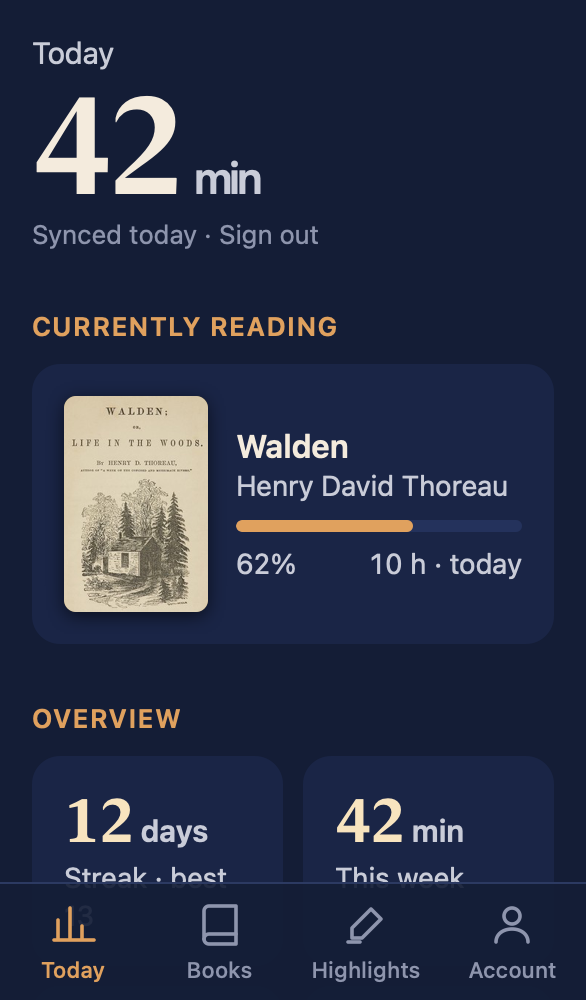
The Today screen: 42 minutes read today, Walden at 62 percent, a 12 day streak and totals for the week, month and year

Find any highlight in seconds

KOReader highlights and the Kindle My Clippings.txt, searchable by text, note, chapter or author. Export what you see to Excel.
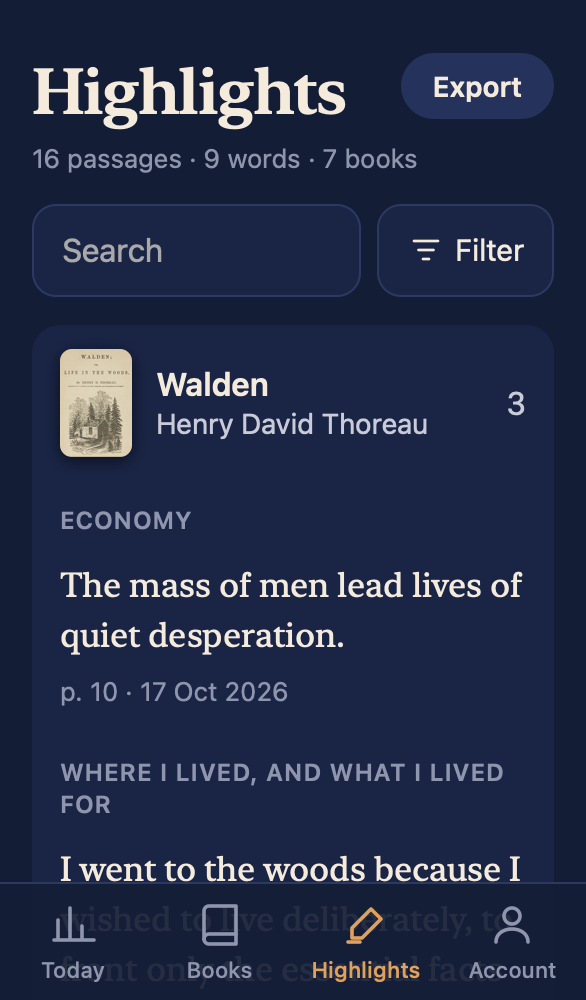
Highlights from Walden grouped by chapter, with a search field and filters

Send books from your phone

Upload EPUB, PDF or MOBI and it lands in the reader's Inbox the next time it's online.
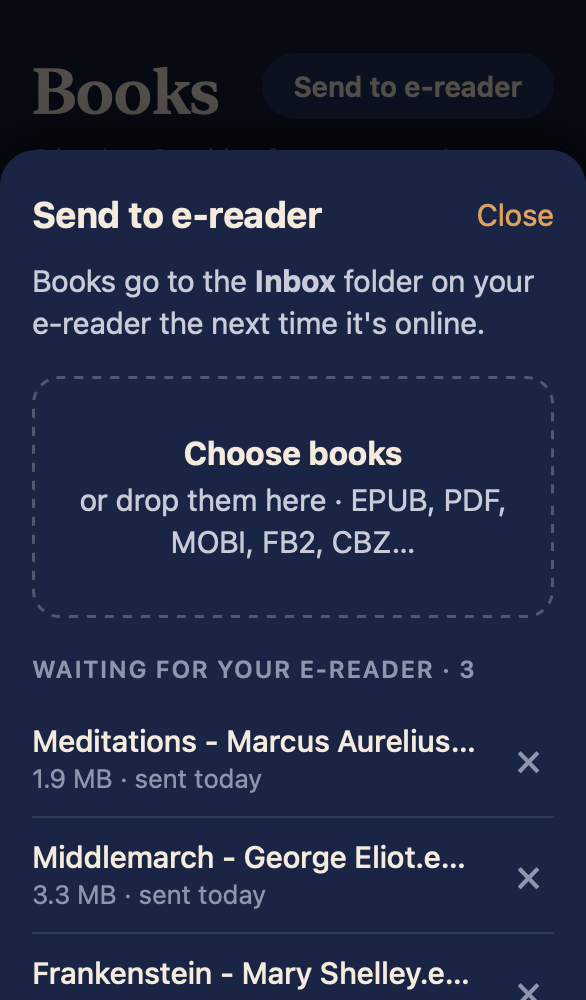
Send to e reader: one book uploading and three waiting for the reader

Your streak on the Home Screen

Widgets for today, the book you're on and a reading calendar, plus Lock Screen widgets.
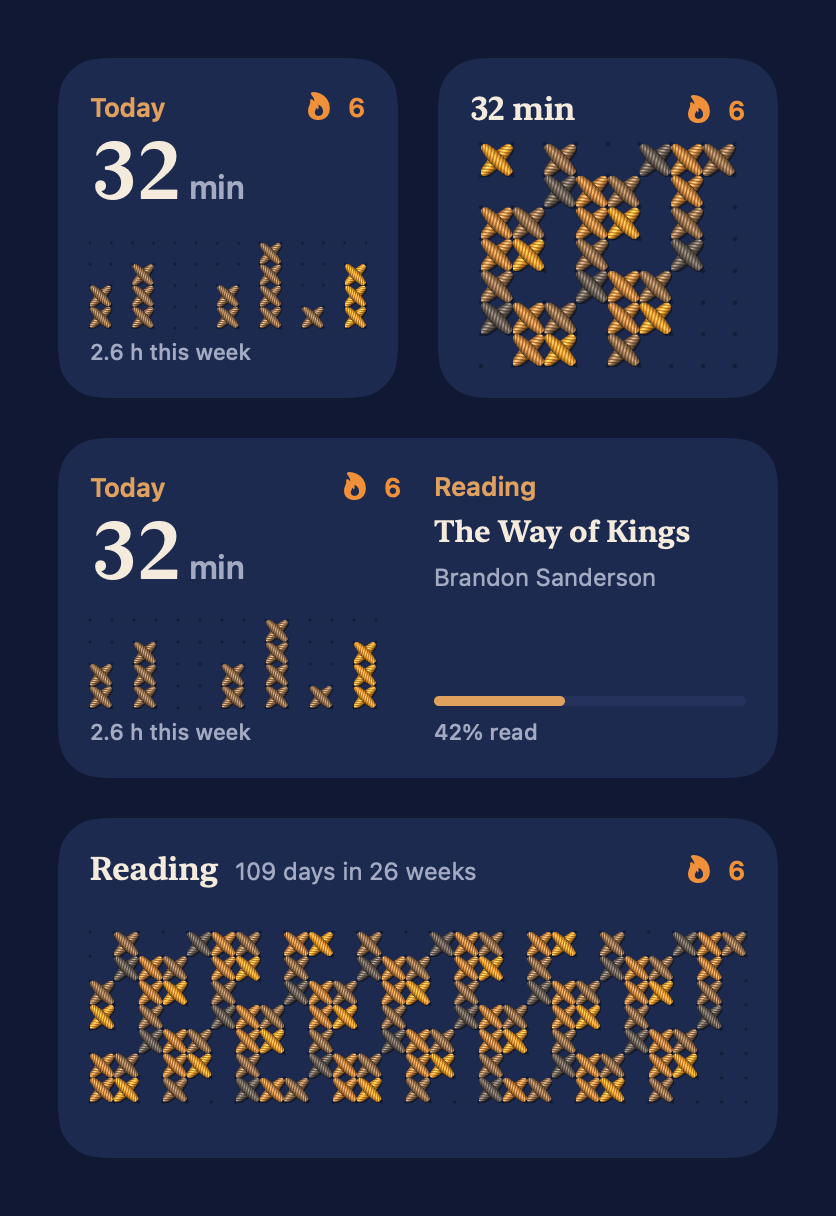
iPhone widgets showing 42 minutes today, a 12 day streak and a reading calendar

One server for the household

Each reader gets their own account and sees only their own books, stats and highlights.

You turn the pages on E Ink. Your server keeps count, and your phone keeps the streak in sight.

How it works

Set it up once, then just read

One afternoon of setup. After that nothing needs a tap, a cable or a sync button.

1

You read

KOReader uploads statistics.sqlite3 whenever WiFi connects and every 30 minutes. The plugin sends each highlight seconds after you make it. Offline changes wait and go out later.

2

Your server keeps it

server.py is a WebDAV folder per account plus the web app and API. Deploy it to Railway by following INSTALL.md.

3

You look

Open the web app in any browser, or install the iPhone app and add the widgets. Everything reads from the same server.

Try it on your computer first

Generate a demo library and sign in as reader. Python 3 is the only requirement.

git clone https://github.com/progremir/readstreak
cd readstreak && scripts/demo_data.py ./demo-data
AUTH_PASSWORD=demo-password-123 DATA_DIR=./demo-data python3 server.py
# open http://localhost:8080

Privacy

What you read stays on a machine you control

No accounts with us, because there is no us. The only outside request is a cover lookup on Open Library by title and author.

0

analytics, ads or trackers in the server or the iPhone app

600,000

PBKDF2 iterations on every account password

180 d

sessions, each listed and revocable on your account page

1

device password per reader, so a lost Kobo never exposes your account

Each part signs in its own way

  • Browser and iPhone appUsername and account password, with a session cookie
  • KOReaderUsername and a device password made on the account page
  • iPhone widgetsA widget token the app gets when you sign in on that phone
FAQ

Questions before you set it up

Something missing? Open an issue on GitHub.

Which readers does it work with?
Anything that runs KOReader: Kobo, PocketBook, Android readers and jailbroken Kindles. Highlights from the stock Kindle reader come in through My Clippings.txt.
Do I really need my own server?
Yes. That is where your data lives. INSTALL.md walks through deploying it to Railway, and it runs anywhere Python 3 does: a home server, a Raspberry Pi or a small VPS.
What does it cost?
Nothing. Readstreak is MIT licensed. You only pay for whatever hosts your server, if anything.
Is there an app for Android?
Not yet. The web app works in any phone browser and can be added to the home screen. The native app and widgets are iPhone only for now, on TestFlight.
Can my partner and kids use the same server?
Yes. An admin adds each person, who then picks their own password. Everyone sees only their own books, stats and highlights.
What happens when the reader is offline?
Nothing is lost. Stats and highlights wait on the device and go out the next time WiFi connects. Books you send wait on the server in the same way.
What if I lose my Kobo?
Revoke its device password on the account page. The reader never held your account password, so nothing else needs to change.
Can I get my data out?
It is already out. Stats are KOReader's own SQLite file and highlights are plain files in your server's data folder. Highlights also export to Excel from the web app.
The Readstreak owl

See your streak without picking up the reader

Follow INSTALL.md yourself, or hand it to a coding agent and let it do the steps.

Free and MIT licensed No account with anyone Delete the folder and it's gone

Already running a server? Get the iPhone app on TestFlight